Claude Code in Development: The Most Powerful AI Coding Tool of 2026

By Surya Pratap
June 24, 2026
AI & Technology

June 24, 2026
There is a category difference between autocomplete tools and what Anthropic shipped with Claude Code. Autocomplete predicts your next token. Claude Code reads your entire codebase, reasons about architecture, edits files, runs shell commands, creates commits, opens pull requests, and loops until the task is done — or until you stop it. That gap matters enormously for anyone building software professionally in 2026.
This article pulls from the official Claude Code documentation and the course catalog at claude.com/resources/courses to give you a complete picture of the tool, what it can do, and the fastest path to mastering it.
Claude Code is not a plugin. It is an agentic coding assistant that runs in your terminal, IDE, desktop app, or browser — and underneath all of those surfaces is the same engine. It understands your project at a structural level: imports, function signatures, file relationships, test coverage, and build output. When you give it a task, it does not draft a suggestion for you to paste. It plans the approach, makes the edits across multiple files, runs your tests, reads the failures, and iterates until the task passes or until it needs your input.
The architecture underneath this is called the agentic loop: a plan-act-observe cycle where Claude Code uses tools (file reads, shell execution, web search, MCP connections) and revises based on what it sees. You can watch it work, interrupt it, redirect it, or let it run to completion.
One of the less-discussed strengths of Claude Code is that it runs everywhere, and sessions are not siloed:
claude in any project directory.“Sessions aren't tied to a single surface. Start a task in your terminal, review it visually in the Desktop app, and continue on your phone — the context travels with you.”
Describe what you want in plain language. Claude Code plans the approach, writes the code across however many files are involved, and verifies it works by running your existing test suite. For bugs, paste an error message or describe the symptom. It traces the issue through your codebase, identifies the root cause, and implements a fix — including adding a regression test so the bug cannot come back undetected.
Writing tests for untested modules, resolving merge conflicts, fixing lint errors across an entire project, updating deprecated dependency calls, writing release notes from a git diff — these are the tasks that eat hours without moving the product forward. Claude Code handles all of them with a single prompt:
claude "write tests for the auth module, run them, and fix any failures"Claude Code works directly with git. It stages changes, writes commit messages (with enough context to be useful six months from now), creates branches, and opens pull requests. In CI, you can automate code review and issue triage via GitHub Actions or GitLab CI/CD — Claude reviews every PR automatically and leaves structured comments.
MCP is the open standard that lets Claude Code connect to external data sources and tools. With MCP servers configured, Claude Code can read your design docs in Google Drive, update tickets in Jira, pull context from Slack, query your database, or use any custom tooling your team has built. This is the capability that moves Claude Code from “smart editor” to “team member with context”.
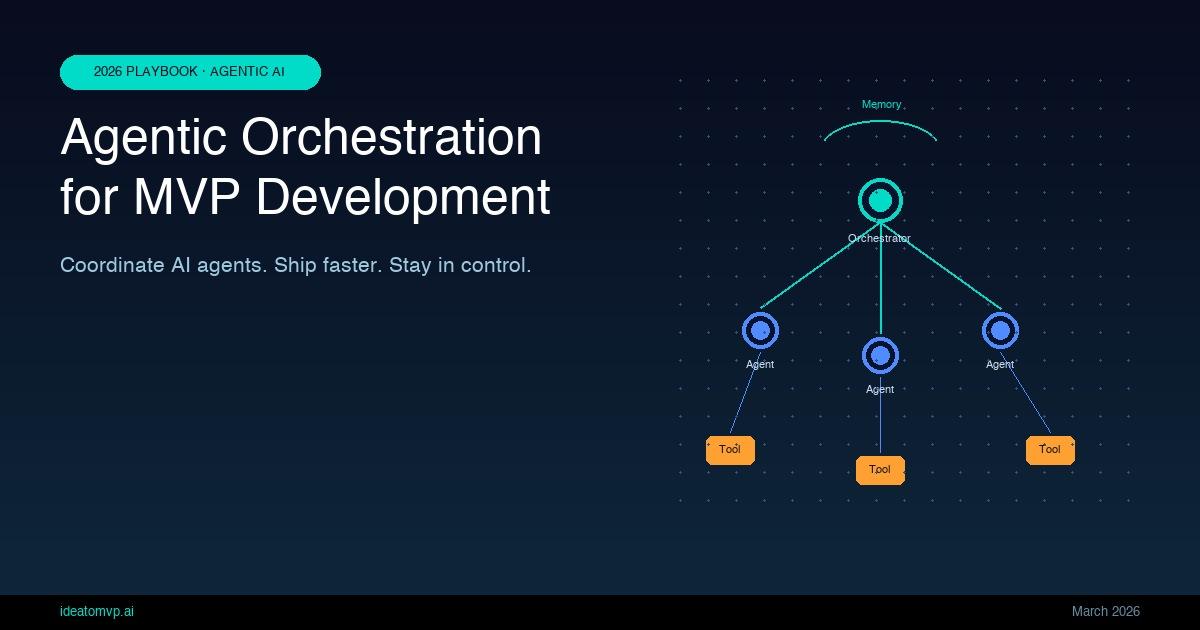
For large tasks, you can spawn multiple Claude Code agents that work on different parts simultaneously. A lead agent coordinates, assigns subtasks, and merges results. With background agents, you run several full sessions in parallel and watch them from one screen — the closest thing to having a team of developers at your disposal.
Claude Code follows the Unix philosophy. It composes with other tools via pipes, runs in CI, and chains with shell commands:
# Review security issues in changed files
git diff main --name-only | claude -p "review these changed files for security issues"

# Analyze log anomalies and send a Slack message
tail -200 app.log | claude -p "Slack me if you see any anomalies"Routines run on Anthropic-managed infrastructure on a schedule you define: morning PR reviews, overnight CI failure analysis, weekly dependency audits, doc syncs after merges. They keep running even when your machine is off — and they can trigger on API calls or GitHub events, not just clock time.
The three customization primitives are worth understanding separately:
/review-pr, /deploy-staging, /generate-migration.Anthropic has published a structured learning path at claude.com/resources/courses. Here is what is available as of June 2026:
| Course | Format | Focus |
|---|---|---|
| Claude Code 101 | 12 lectures · 1 hr | Foundations and core concepts |
| Claude Code in Action | 15 lectures · 1 hr + quiz | Real-world workflows |
| Introduction to Sub-Agents | 4 lectures · 20 min | Parallel agent coordination |
| Introduction to Agent Skills | 6 lectures · 30 min | Building reusable skill packages |
| Claude Platform 101 | 12 lectures · 1 hr | Core API concepts |
| Building with the Claude API | 84 lectures · 8.1 hrs | Full API integration curriculum |
| Introduction to MCP | 16 lectures · 1 hr | Model Context Protocol basics |
| MCP: Advanced Topics | 15 lectures · 1.1 hrs | Deep MCP integrations |
The recommended sequence for a developer who is new to Claude Code: start with Claude Code 101, move to Claude Code in Action, then add Introduction to MCP once you want to connect external data sources. If you are building multi-agent systems, add Introduction to Sub-Agents and Agent Skills last. The entire core track is under three hours of video.
The pattern we see most often at Idea to MVP among the founders we work with:
“The founders shipping the fastest in 2026 are not using AI to write code faster. They are using it to eliminate the category of work that does not require their judgment — so their judgment is what ships.”
Claude Code is not a replacement for product judgment. It will faithfully implement whatever you describe — which means a vague spec produces vague code. The tool rewards specificity. Developers who spend five minutes writing a clear task description consistently get better results than those who write two sentences and hope for the best.
If you want to go from zero to shipping production AI features in four weeks — not just completing tutorials — the IdeaToMVP Academy's Founder AI Sprint is the most direct path. It is a live cohort-based program taught by the team that has shipped more than 15 AI products, and Claude Code is a central tool in the curriculum.
The sprint covers:
Each cohort is small (under 20 founders) so there is real feedback on your specific product and stack. You can learn more and apply at ideatomvp.ai/academy.
Claude Code is the most capable agentic coding tool available today. It works across every surface you already use, connects to every data source via MCP, and scales from single-developer projects to multi-agent team workflows. The learning curve is real but short — the official course track is under three hours, and the returns compound fast once you internalize the agentic model. The developers and founders who are building with it now are shipping two to three times faster than those who are not, and the gap is widening.
IdeaToMVP Academy
4-week live cohort for founders. Learn to ship AI agents, scope MVPs, and automate your business — taught by the same team that writes these guides.