LangChain Agents: A Complete Technical Guide for Builders (2026)

By Surya Pratap
June 20, 2026
14 min read
AI & Technology

June 20, 2026
14 min read
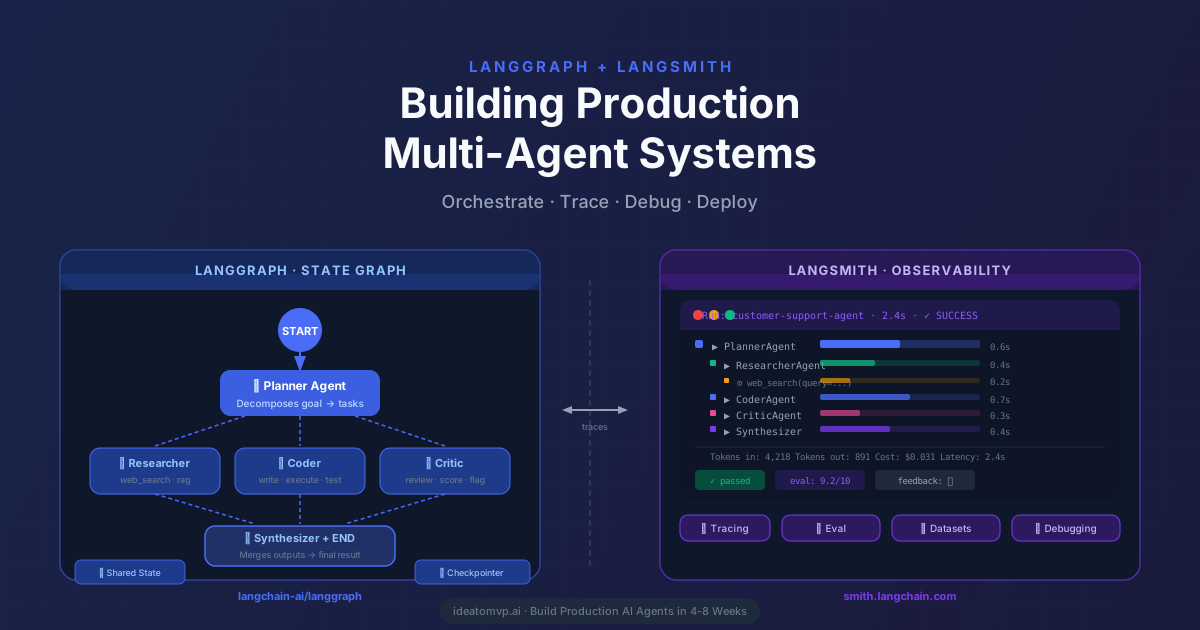
An LLM that answers questions is useful. An LLM that can do things — call your database, send a Slack message, file a refund, and then report back — is a product. LangChain agents are the standard way builders wire that loop in 2026. This guide covers everything from the mental model to production code: the agent loop, how to write tools, memory and state, structured output, streaming, error handling, and what the r/LangChain, r/LocalLLaMA, and X/Twitter communities say works and doesn't.
This guide is grounded in LangChain v1 agent docs, the LangGraph documentation, and recurring discussion on r/LangChain and @LangChainAI on X.
 LangChain AgentsHover to explore
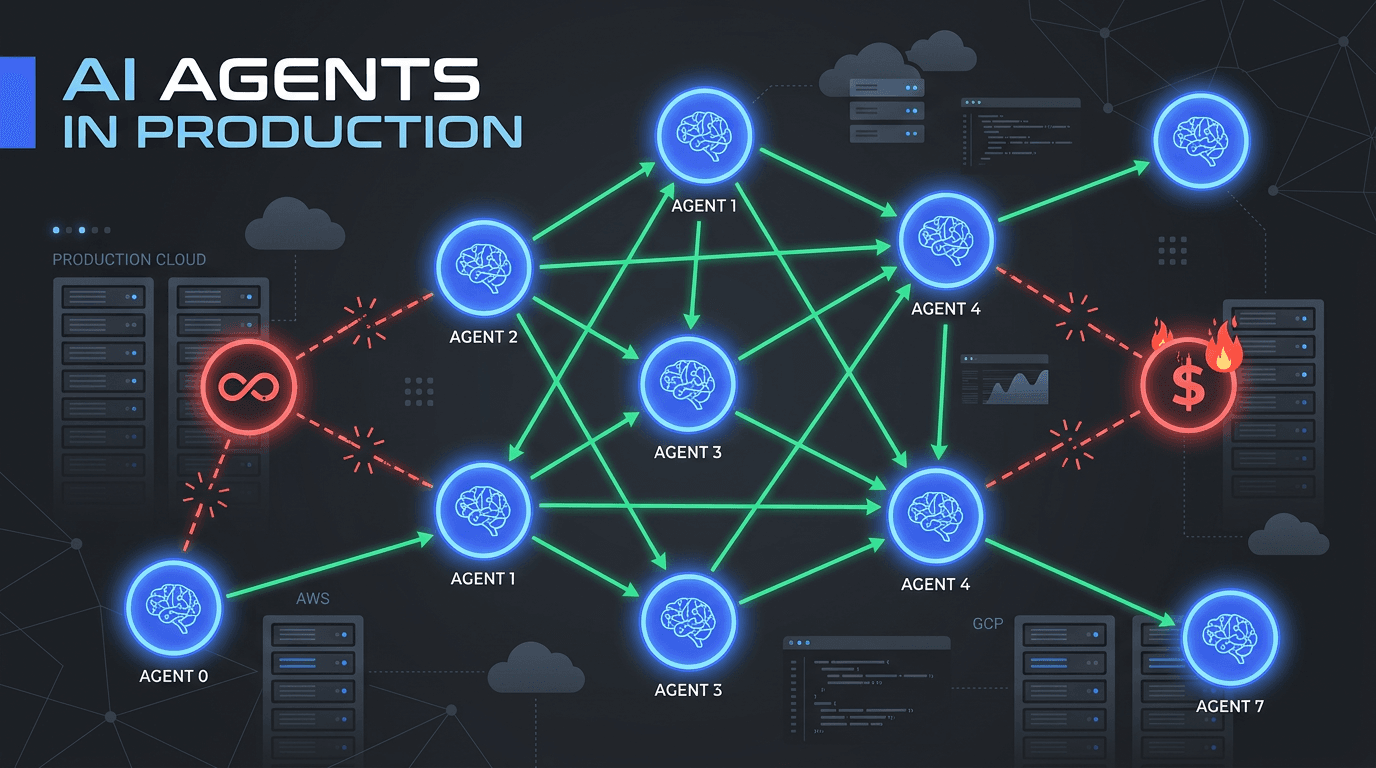
Every LangChain agent runs the same core loop regardless of which model you use:
ToolMessage to the conversation.That's it. The sophistication lives in what tools you provide and how you constrain the loop — not in any magic inside the framework.
With LangChain v1's create_agent, the boilerplate is minimal:
from langchain.agents import create_agent
from langchain.tools import tool

@tool
def search_orders(order_id: str) -> str:
    """Look up an order by ID and return its current status."""
    # Replace with your real DB call
    return f"Order {order_id}: Shipped, arriving 2026-06-23."

@tool
def issue_refund(order_id: str, reason: str) -> str:
    """Issue a full refund for an order given a reason."""
    return f"Refund issued for order {order_id}. Reason: {reason}."

agent = create_agent(
    model="anthropic:claude-sonnet-4-6",
    tools=[search_orders, issue_refund],
    system_prompt=(
        "You are a helpful customer support agent. "
        "Always look up the order before issuing a refund."
    ),
)

result = agent.invoke({
    "messages": [{"role": "user", "content": "Refund order #4821 — it arrived broken."}]
})
print(result["messages"][-1].content)
Behind the scenes the agent calls search_orders("4821"), reads the result, then calls issue_refund("4821", "arrived broken"), and finally returns a confirmation to the user — all in a single invoke call, no manual orchestration needed.
The single biggest lever on agent quality is tool design, not model choice. The model decides which tool to call based entirely on the function name, docstring, and argument schema. Get those wrong and no amount of prompt engineering rescues you.
Rules that hold in practice:
search_and_refund() is a trap — split it. The model should be able to call each step independently."Error: order not found" rather than raising an exception — the agent can retry or explain the failure rather than crashing.from langchain.tools import tool
from pydantic import BaseModel, Field
class SearchInput(BaseModel):
order_id: str = Field(description="The numeric order ID, e.g. '4821'")
include_history: bool = Field(
default=False,
description="Set True to include the full shipment history"
)
@tool(args_schema=SearchInput)
def search_orders(order_id: str, include_history: bool = False) -> str:
"""
Look up an order's current status by order ID.
Call this FIRST before any action that modifies the order.
Returns: status string, or an error message if not found.
"""
try:
order = db.get_order(order_id)
if not order:
return f"Error: order {order_id} not found."
base = f"Order {order_id}: {order.status}, ETA {order.eta}."
if include_history:
base += f" History: {order.shipment_history}"
return base
except Exception as e:
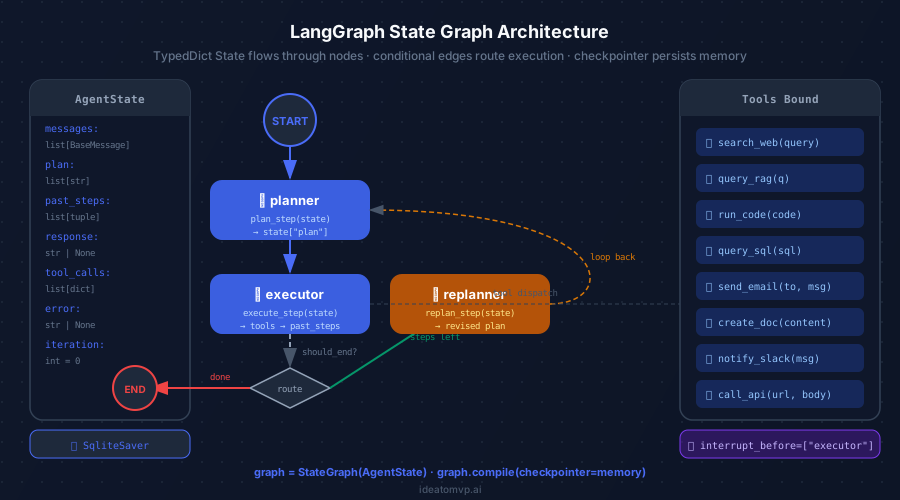
return f"Error fetching order: {str(e)}" By default, every agent.invoke() call is stateless — the agent forgets the previous turn the moment it returns. For multi-turn conversations you need to pass state explicitly. LangChain offers two patterns:
Pattern A — thread-based checkpointing with LangGraph (recommended for production)
from langchain.agents import create_agent
from langgraph.checkpoint.memory import MemorySaver

# MemorySaver keeps state in RAM; swap for PostgresSaver in production
checkpointer = MemorySaver()

agent = create_agent(
    model="anthropic:claude-sonnet-4-6",
    tools=[search_orders, issue_refund],
    checkpointer=checkpointer,
)

# Same thread_id = same conversation memory
config = {"configurable": {"thread_id": "user-123-session-456"}}

# Turn 1
agent.invoke(
    {"messages": [{"role": "user", "content": "What is the status of order 4821?"}]},
    config=config,
)

# Turn 2 — agent remembers turn 1
agent.invoke(
    {"messages": [{"role": "user", "content": "Go ahead and refund it."}]},
    config=config,
)
Pattern B — summarization for long contexts
When a thread grows past your model's context window, use SummarizationMiddleware to auto-compress old messages into a running summary before each model call. The agent loses verbatim history but retains the semantic gist — good enough for most support or assistant use cases.
 Stateful by defaultHover to explore
Often you want the agent to gather information and return a validated object — not a free-text summary. Pass a Pydantic model to response_format and the agent emits a typed object as part of the same loop, no extra parsing step needed:
from pydantic import BaseModel
from langchain.agents import create_agent

class SupportTicket(BaseModel):
    order_id: str
    issue_type: str          # "refund" | "late_delivery" | "wrong_item"
    recommended_action: str
    confidence: float        # 0.0 – 1.0

agent = create_agent(
    model="anthropic:claude-sonnet-4-6",
    tools=[search_orders],
    response_format=SupportTicket,
    system_prompt=(
        "Classify the customer's issue and recommend an action. "
        "Always search the order before classifying."
    ),
)

result = agent.invoke({"messages": [
    {"role": "user", "content": "My order 4821 never arrived — it's been 3 weeks."}
]})

ticket: SupportTicket = result["structured_response"]
print(ticket.issue_type)           # "late_delivery"
print(ticket.recommended_action)   # "escalate to carrier"
print(ticket.confidence) # 0.92The biggest UX problem with agents is latency: the user sees nothing until the full loop finishes. Streaming fixes this by surfacing tokens and tool events as they happen. LangChain supports two streaming modes:
# Mode 1 — stream final output tokens only
for chunk in agent.stream(
    {"messages": [{"role": "user", "content": "Status of order 4821?"}]},
    stream_mode="messages",
):
    if chunk[1].get("langgraph_node") == "agent":
        print(chunk[0].content, end="", flush=True)

# Mode 2 — stream every event (tool calls, results, tokens)
for event in agent.stream(
    {"messages": [{"role": "user", "content": "Status of order 4821?"}]},
    stream_mode="updates",
):
    kind = list(event.keys())[0]
    if kind == "tools":
        print(f"[tool] {event['tools']['messages'][0].name}")
    elif kind == "agent":
        for msg in event["agent"]["messages"]:
            print(msg.content, end="", flush=True)
In practice, use stream_mode="updates" in any UI that shows a live “thinking” panel — it lets you surface which tool the agent is calling without waiting for the final answer.
Any agent that can spend money, send a message, or write to a database needs a human approval gate for irreversible actions. LangChain v1 gives you two approaches — middleware for simple cases, LangGraph interrupts for full control:
# Simple approach — middleware
from langchain.agents.middleware import HumanInTheLoopMiddleware

agent = create_agent(
    model="anthropic:claude-sonnet-4-6",
    tools=[search_orders, issue_refund, send_email],
    middleware=[
        HumanInTheLoopMiddleware(
            interrupt_on={"issue_refund": True, "send_email": True}
        )
    ],
)

# Advanced approach — LangGraph interrupt node
from langgraph.types import interrupt

def human_approval_node(state):
    last_tool_call = state["messages"][-1]
    # Pause execution and surface the tool call to your UI
    decision = interrupt({
        "tool": last_tool_call.name,
        "args": last_tool_call.tool_input,
        "prompt": "Approve this action?",
    })
    if decision["approved"]:
        return state  # continue
    # Inject a rejection message back into the graph
    return {"messages": [ToolMessage(content="Action rejected by user.", ...)]}
The middleware approach is faster to ship. The LangGraph interrupt is more flexible — you can modify arguments, not just approve or reject. In client projects, we almost always start with middleware and only reach for interrupts when we need to let users edit a tool call before it executes.
This distinction trips up a lot of builders. In 2022–2023 LangChain, ReAct (Reason + Act) was the primary pattern — the model was prompted to emit a structured “Thought / Action / Observation” scratchpad in plain text, which LangChain parsed to determine what to call. It worked but it was fragile — any deviation in the format broke the parser.
In 2026, create_agent uses native tool calling — the model emits a structured tool call in the API response rather than in free text. This is more reliable, cheaper (no double prompt), and supported by every major provider. ReAct is now a fallback for models that don't support native tool-calling, not the default path.
| Feature | ReAct (legacy) | Native Tool-Calling (v1 default) |
|---|---|---|
| Format | Free text scratchpad | Structured API response |
| Reliability | Format-sensitive | Schema-validated |
| Parallel tool calls | No | Yes (where supported) |
| Best for | Local models without tool-call support | Everything else |
LANGSMITH_API_KEY and LANGSMITH_TRACING=true. Every invoke, every tool call, every token gets traced automatically. You will not regret this at 2am when something breaks in production.MemorySaver is fine for local dev, but swap it for PostgresSaver or RedisSaverbefore going live — otherwise a server restart wipes all conversation state.After reading through months of threads on r/LangChain, r/LocalLLaMA, and AI-engineering corners of X, the community take boils down to these recurring themes:
langchain / langchain-core / langgraph) is still confusing newcomers.” Acknowledged by the LangChain team. The mental model is cleaner in v1 but the install surface still trips people up on first try.“The question in 2026 is not ‘should I use LangChain?’ It’s ‘do I need checkpointing, observability, and provider-portable tool-calling — or am I doing one provider, three steps, and a direct call is fine?’ Know which problem you have before you pick a framework.”
LangChain agents are the right choice when you need at least two of the following:
Reach for a direct provider SDK instead when:
LangChain agents in 2026 are not a tutorial toy. With create_agent, native tool-calling, checkpointed state, structured output, streaming, and middleware, the framework now covers the full surface area of what a production agent needs. The learning curve is real — mostly in tool design and LangGraph's checkpoint model — but the payoff is an agent you can observe, pause, hand off to a human, and switch to a different model without rewriting your code. That is a strong foundation for any AI MVP.
IdeaToMVP Academy
4-week live cohort for founders. Learn to ship AI agents, scope MVPs, and automate your business — taught by the same team that writes these guides.